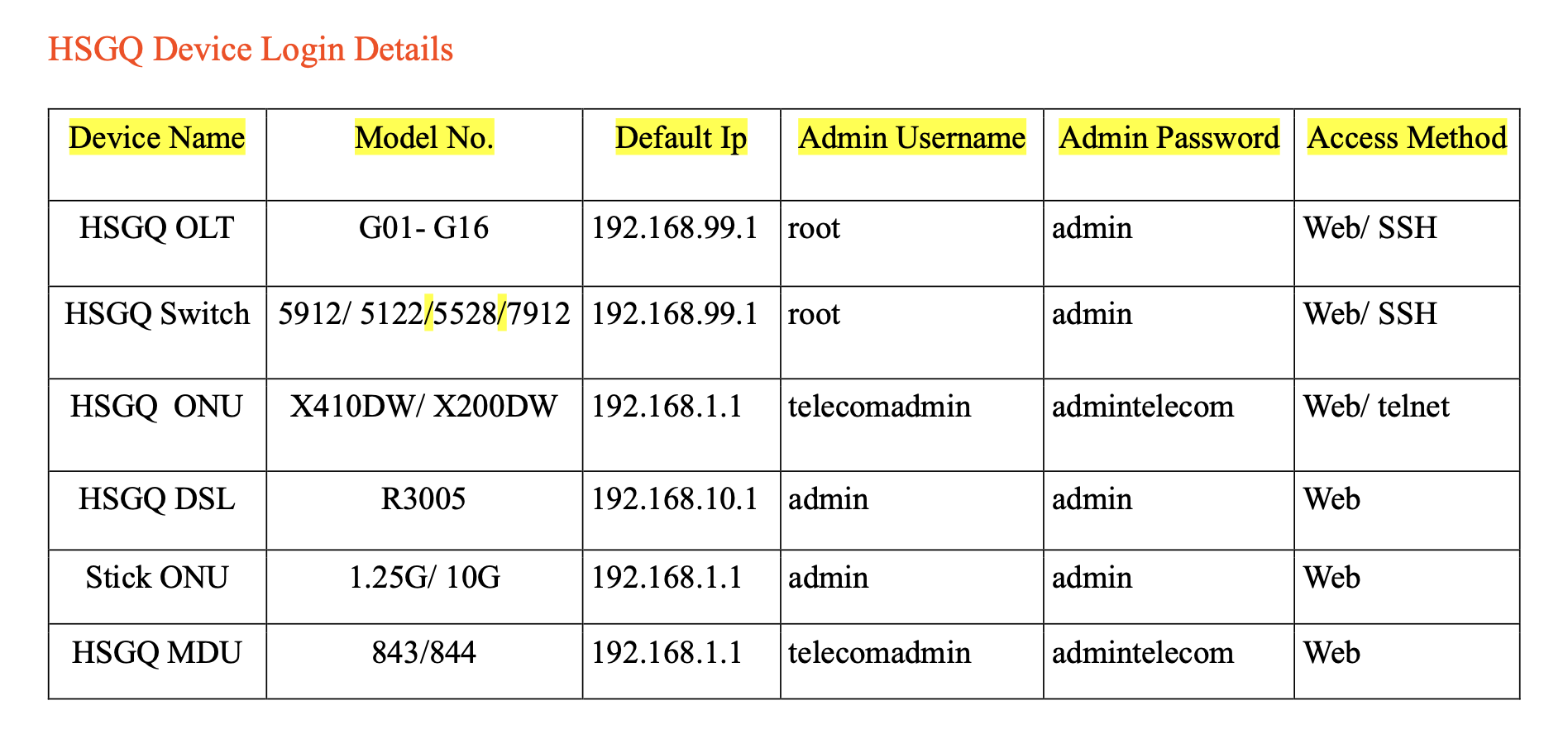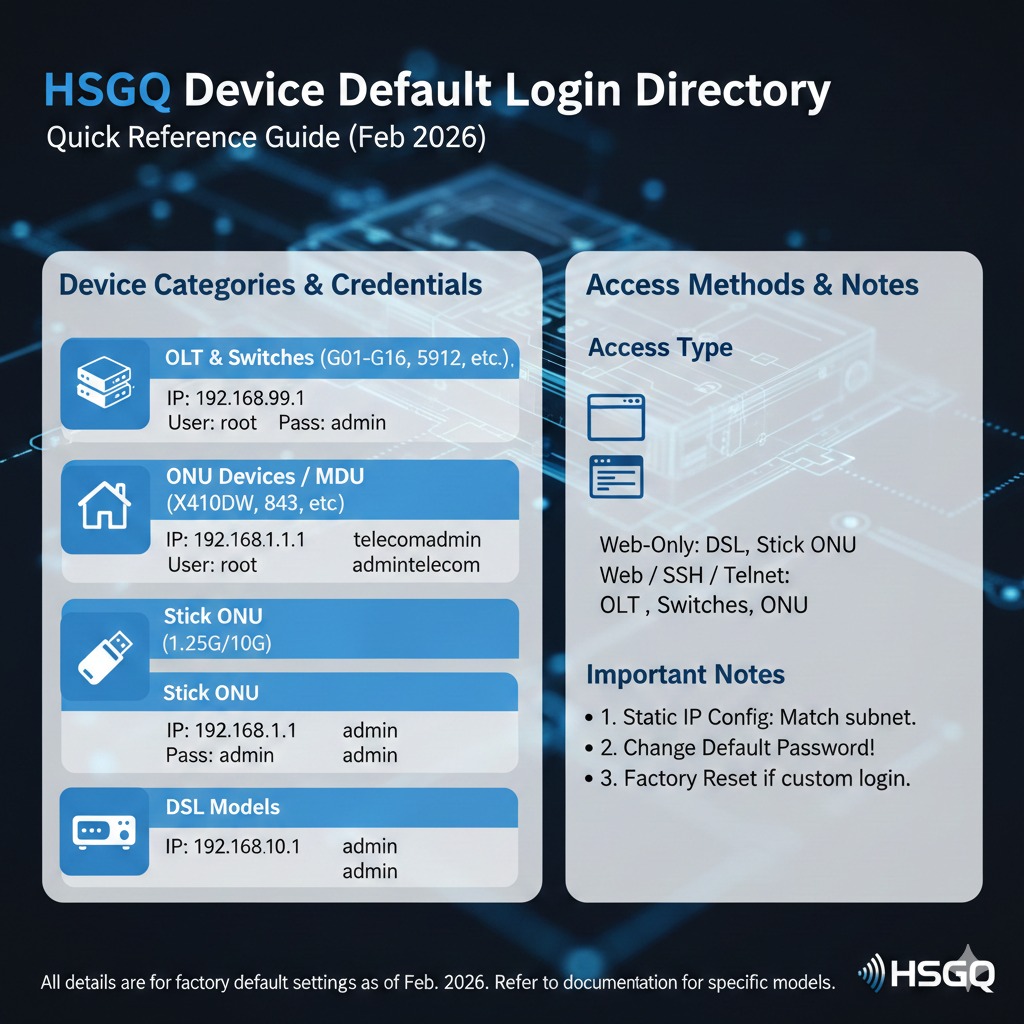
HSGQ Device Default Login Directory
This guide provides the default login credentials and access methods for various HSGQ networking devices, including OLTs, Switches, ONUs, and MDUs.
Quick Reference Table
Use the pdf below to find the default IP address, username, and password for your specific HSGQ hardware.
HSGQ Login Details.pdf
Important Connection Notes
1. Static IP Configuration: To access the device management page, ensure your computer is set to a static IP address within the same subnet as the device's default IP (e.g., if the device is 192.168.99.1, set your PC to 192.168.99.10).
2. Access Methods:
Web: Access via a standard web browser (Chrome, Firefox, Edge).
SSH/Telnet: Use a terminal client like PuTTY for command-line access.
3. Security Recommendation: For security purposes, it is highly recommended to change the default admin password immediately after your first successful login.
Note: These details apply to factory default settings. If the credentials do not work, the device may have been previously configured with custom login information.