SFP / QSFP Not Working? Here’s the Real Reason and How to Fix It
Many customers face issues where their SFP or QSFP modules do not work, even when the distance seems correct.
For example:
“My SFP is 20km but it does not work inside 15km — why?”
“Power looks fine but still no link — why?”
Below are the real technical reasons and the exact steps to solve them.
1. Power Budget Mismatch
Even if your SFP/QSFP is labeled 10km, 20km, 40km, 80km, it will only work if:
✔ Total Fiber Loss < SFP Optical Budget
If the fiber route loss is higher than your SFP’s optical budget, the link will not work.
This is why sometimes:
- A 20km SFP fails at 15km
- A 40km SFP fails at 25km
The problem is not distance, but optical loss.
2. Coding / Compatibility Issue
Sometimes power is OK, but still no link.
This is usually because:
- The SFP is not coded for your switch brand
- The switch is vendor locked
- Wrong firmware coding (Cisco, Huawei, Juniper, MikroTik, Dell, HP)
In these cases, the SFP may show:
- No link
- Link up/down
- Identification error
- DOM readings missing
What You Must Check First (Step-by-Step)
- Check Total Fiber Loss
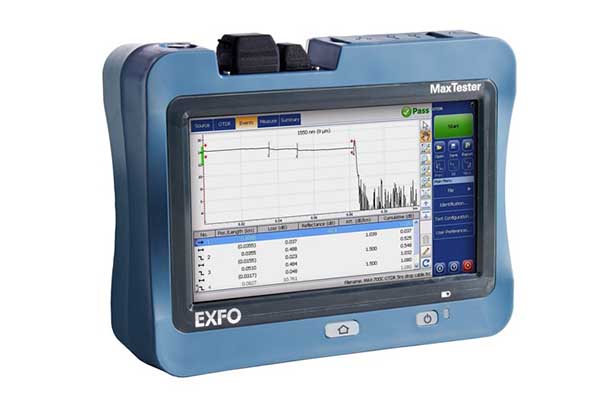
Use OTDR or power meter to measure loss including:
- Fiber attenuation
- Splice loss
- Connector loss
- Bending / poor joints
- Check SFP Optical Budget
From data sheet:
Optical Budget = Tx Power – Rx Sensitivity
Your total fiber loss must be LOWER than the SFP budget.
- Check Standard RX Power Range
Every SFP/QSFP has a safe RX operating window:
✔ Correct RX Power = –3 dBm to –20 dBm
If RX is outside this range → link fails.
- Check Actual RX Power at Receiver
This is very important:
- If RX is too high → overload
- If RX is too low → weak signal
RX must be inside the safe range above.
- Final Condition for Perfect Link
To work perfectly:
Total Fiber Loss < SFP Optical Budget
AND
RX Power must be between –3 dBm and –20 dBm
If both conditions are correct → Stable link guaranteed.
If RX Power is High — Solution
Your signal is too strong (overpower).
✔ Use an Attenuator
- LC 3 dB
- LC 5 dB
- LC 7 dB
- LC 10 dB
This reduces RX power and stabilizes the link.
If RX Power is Low — Solution
Your signal is too weak.
✔ Use a Higher-Distance SFP
Example:
- Replace 10km SFP → 20km
- Replace 20km SFP → 40km
- Replace 40km SFP → 80km
Or find the loss in the fiber path and fix it.
Final Summary
Your SFP/QSFP will work perfectly only when:
- ✔ The fiber loss is less than the SFP optical budget
- ✔ The RX power stays inside the safe zone (–3 dBm to –20 dBm)
- ✔ Coding/compatibility matches your switch brand
If any one of these is wrong → link will fail.
D-TECH provides:
- Tested SFP & QSFP modules
- Multi-vendor compatibility
- OTDR
- Technical support
- Attenuators and accessories